
UNIFY / DIGITAL PRODUCT DESIGN / REDESIGN STUDY
Less pressure.
More
belonging.
Retaining the original warmth of Unify, while rebuilding the interface around clarity, accessible interactions and one decision at a time.
BACK TO THE FULL CASE STUDY ↗
DESIGN CRITIQUE / WHY REWORK IT
01
Clearer hierarchy
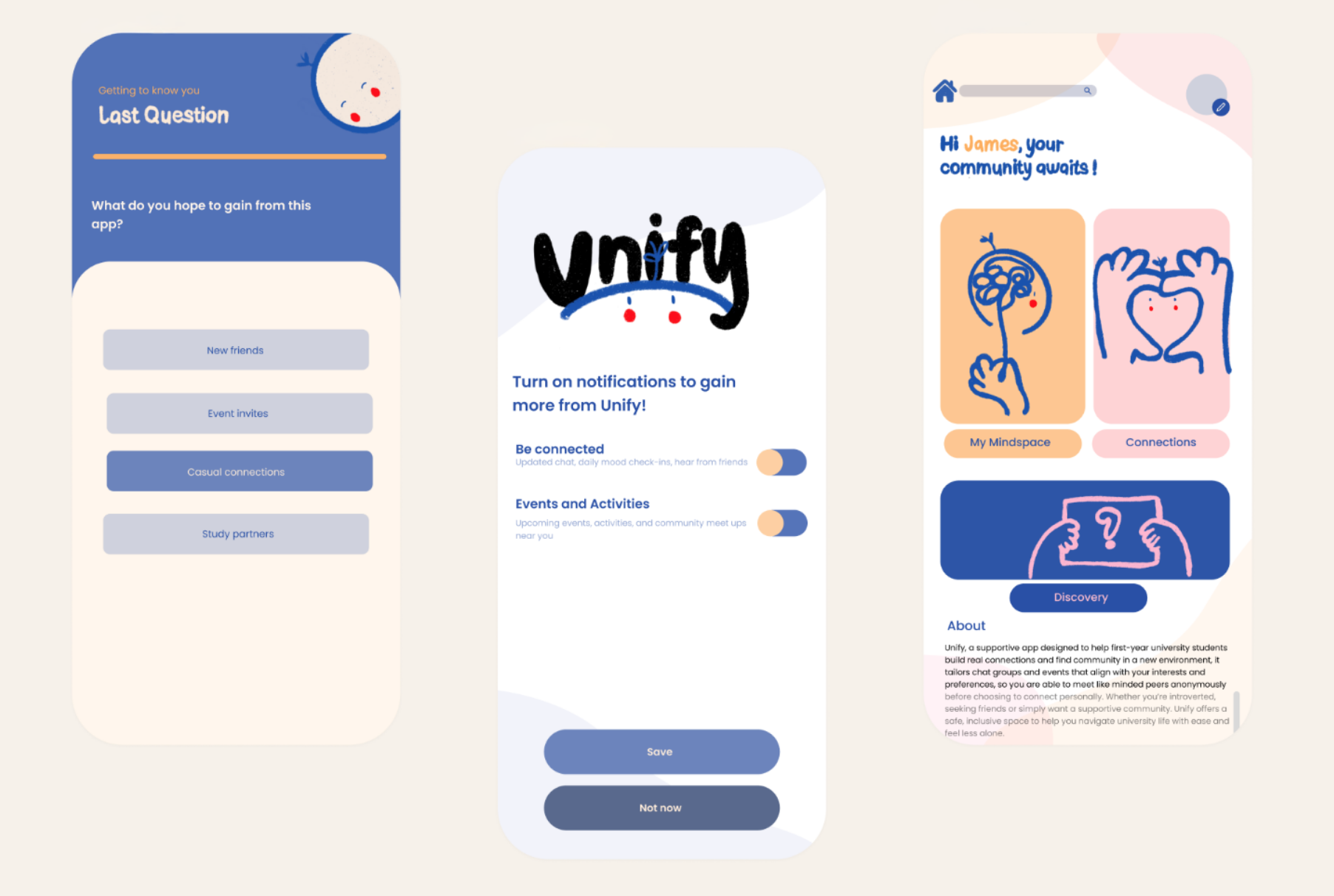
Original UI typography and controls compete with the expressive illustrations. Headlines, labels and buttons need separate roles.
02
A simpler journey
Introduce users to one primary action: check in, discover a conversation, or join a group. Show the next step without overload.
03
More usable details
Improve contrast, tappable controls, navigation labels, consent, moderation and the distinction between anonymous and public chat.

BEFORE / NEW DIRECTION
Keep the personality. Improve the product.
AFTER / UI CONCEPT
Warm illustrations.
Stronger interface.
The redesign uses a clearer type scale, simpler cards and navigation, accessible contrast and more consistent UI components. Illustrations remain brand moments rather than competing with everyday actions.
SCREEN CONCEPTS / DESKTOP PRESENTATION
One connection at a time.
These are working HTML/CSS UI concepts for rebuilding in Figma. They are not usability-tested or a finished app.
01 / Onboarding
A gentler first step
02 / Home
A clear starting point
03 / Discover
Browse without pressure
04 / Check-in
Emotion made tangible

DESIGN SYSTEM / FIGMA REBUILD NOTES
A calmer system
with character.
COLOURS
Primary cobalt, warm paper, peach, apricot and deep navy for contrast.
TYPE / COMPONENTS
DM Sans
Use DM Sans for interface content. Reserve original handwritten lettering for brand illustrations and expressive campaigns.
SPACING / RESPONSIVE
8pt grid
Build components at 8, 16, 24 and 32px spacing. Use 44px minimum touch targets and review accessible contrast.
LET'S CONNECT